
Parashoot Stan Retro1.1.2 - Google Play
You'll be able to see results in few seconds.
Publisher Description
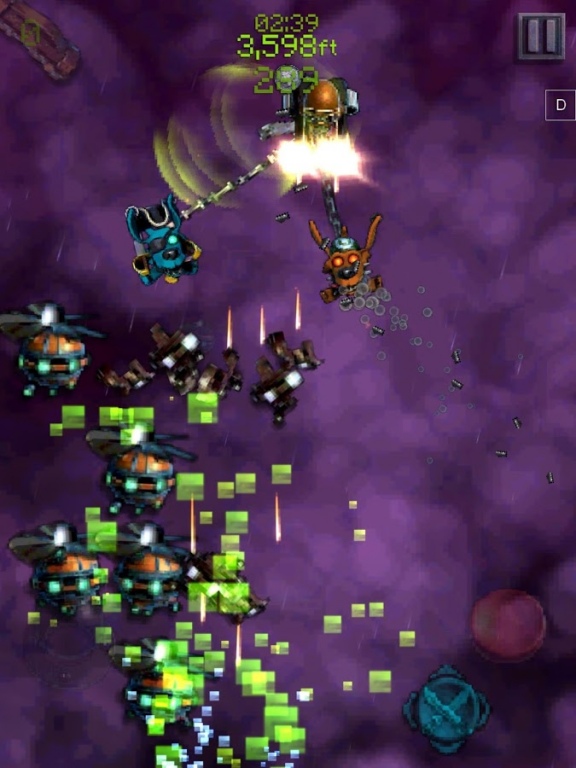
'Long thought to be lost, the original 80's classic that started it all has once again been found buried in the Nevada desert. Restored to it's former glory you too can now revel in low rent graphics, and distorted sound... We bring you, finally, Parashoot Stan Retro!!!'
From the designer of the BAFTA award winning 'Conker's Bad Fur Day' PARASHOOT STAN invites you to take on and defeat the antics of BARON BULLY and send him crashing from the skies. Dare you, Captain Stanley Ottershaw, take on the challenge? Find out how tough a war hero you really are.
- No In-App-Purchases!
- Stunning Lo-Fi Graphics for that blocky Retro Look!
- Stunning Lo-Fi Audio at 8KHz
- Touch and Tilt Based Controls
- Unlock new chutes and outfits
- Recruit multiple Pals to help fight the war
- Configure your play style with Pal Decks
- Cloud Save.
- Support for Virtual Joystick.
Do you speed ahead and smash through the onslaught, or take it easy and hope the BARON BULLY doesn't find you on his radar?
Zoom, spin, somersault, crash, dive, burn, bite, explode or shoot your way through wave after wave of different enemies, whilst hijacking or avoiding the socially awkward minions, the NOZZERS!!
About Parashoot Stan Retro
The company that develops Parashoot Stan Retro is Gory Detail Limited. The latest version released by its developer is 1.1.2.
To install Parashoot Stan Retro on your Android device, just click the green Continue To App button above to start the installation process. The app is listed on our website since 2015-08-10 and was downloaded 0 times. We have already checked if the download link is safe, however for your own protection we recommend that you scan the downloaded app with your antivirus. Your antivirus may detect the Parashoot Stan Retro as malware as malware if the download link to com.GoryDetail.ParashootStanRetro is broken.
How to install Parashoot Stan Retro on your Android device:
- Click on the Continue To App button on our website. This will redirect you to Google Play.
- Once the Parashoot Stan Retro is shown in the Google Play listing of your Android device, you can start its download and installation. Tap on the Install button located below the search bar and to the right of the app icon.
- A pop-up window with the permissions required by Parashoot Stan Retro will be shown. Click on Accept to continue the process.
- Parashoot Stan Retro will be downloaded onto your device, displaying a progress. Once the download completes, the installation will start and you'll get a notification after the installation is finished.
Program Details
System requirements
Download information
Pricing
Version History
version 1.1.2
posted on 2015-08-10
Should now support Moving to SD cards.,Even Smaller!
Disclaimer
Official Google Play Link
We do not host Parashoot Stan Retro on our servers. We did not scan it for viruses, adware, spyware or other type of malware. This app is hosted by Google and passed their terms and conditions to be listed there. We recommend caution when installing it.
The Google Play link for Parashoot Stan Retro is provided to you by apps112.com without any warranties, representations or guarantees of any kind, so access it at your own risk.
If you have questions regarding this particular app contact the publisher directly. For questions about the functionalities of apps112.com contact us.
